
Apple today released the first beta versions of the iOS 18.2, iPadOS 18.2, and macOS Sequoia 15.2 updates for developers to test, which include integrated ChatGPT. This version is currently only available on iPhones capable of running Apple Intelligence features.
– iPhone 15 Pro
– iPhone 15 Pro Max
– iPhone 16
– iPhone 16 Plus
– iPhone 16 Pro
– iPhone 16 Pro Max
If these requirements are met, you can go to the Settings app, select General, and then select Software Update to install the update.
Image Playground
This app lets you create "fun images in seconds" by typing text, with two image styles: Animation and Illustration. Additionally, a Sketch style will be added in a future software update.
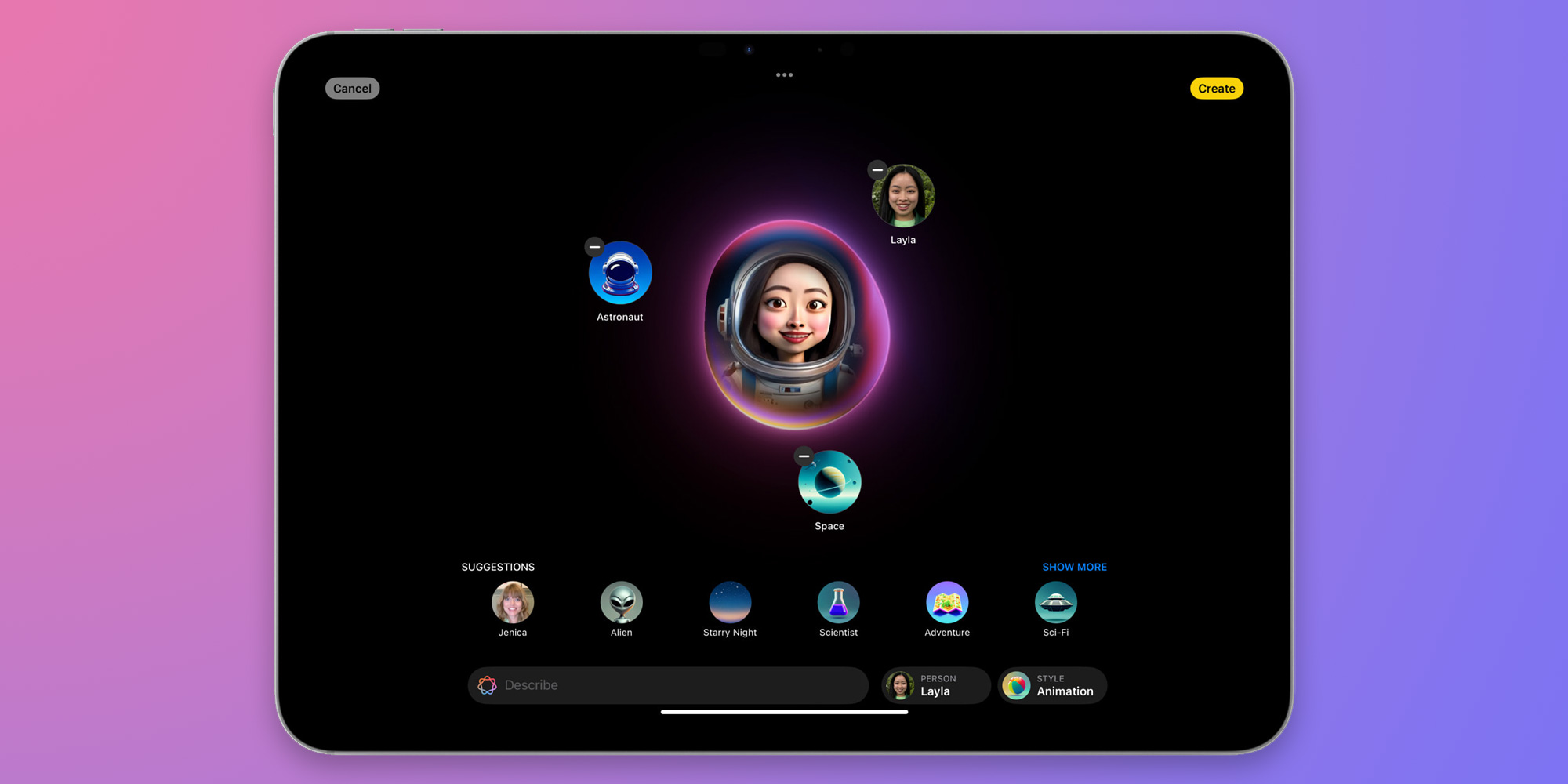
In addition to being a standalone application, Image Playground will also be directly integrated into applications such as Messages and Mail.
Genmoji
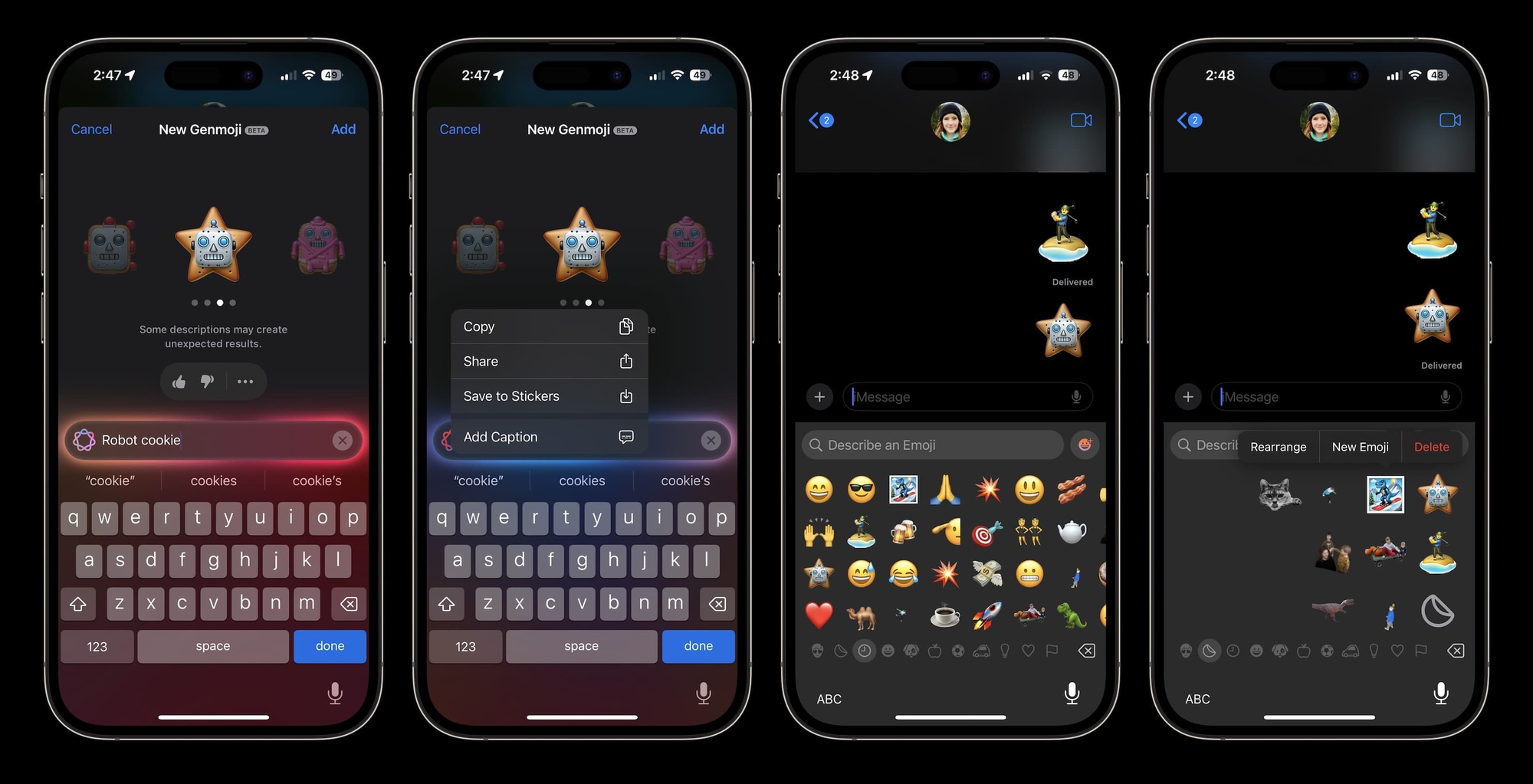
iOS 18.2 also brings Genmoji. This is a feature of Apple Intelligence that lets you create custom emojis based on text descriptions. Apple describes this feature as follows:
“Taking emojis to a whole new level, users can create unique Genmoji to express themselves. Simply enter a description, and Genmoji will appear along with additional options. Users can even create Genmoji of friends and family based on their photos. Like emojis, Genmoji can be added directly to messages or shared as stickers.”.
Integrate ChatGPT
When interacting with Siri in iOS 18.2, you'll have the option to access ChatGPT. Apple says Siri "leverages ChatGPT knowledge when needed," including answering questions about world knowledge and understanding images and documents.
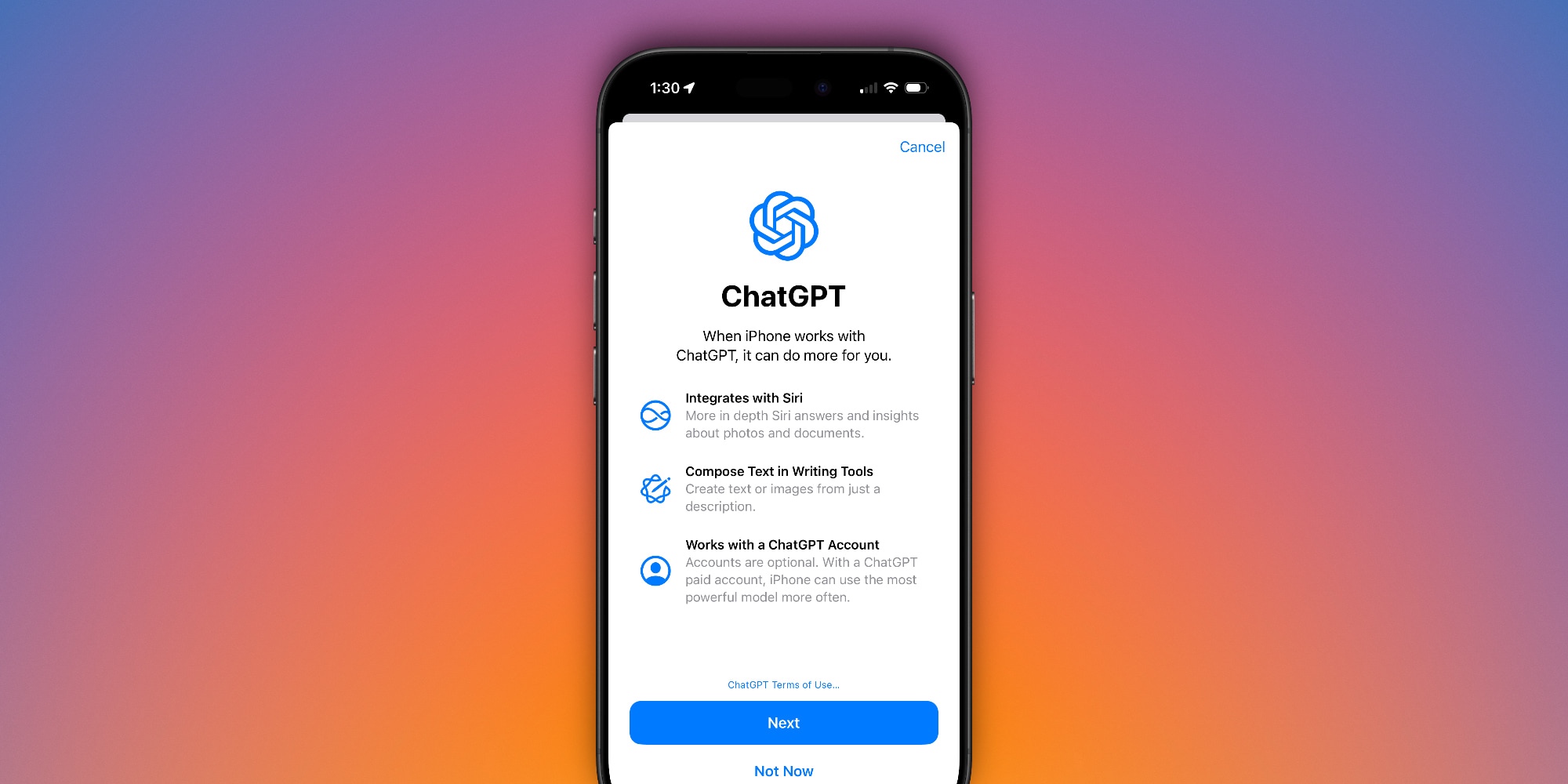
You can sign in to your ChatGPT account in the Settings app, as well as turn off the prompt that appears whenever Siri wants to forward a request to ChatGPT. However, Apple notes that you are not required to sign in to your ChatGPT account or use any ChatGPT integrations.
Update Writing Tools
Additionally, ChatGPT is integrated with Writing Tools, allowing you to create text related to your chosen topics with a new option called "Compose". This feature also lets you use ChatGPT's image tool to create images "in various styles".
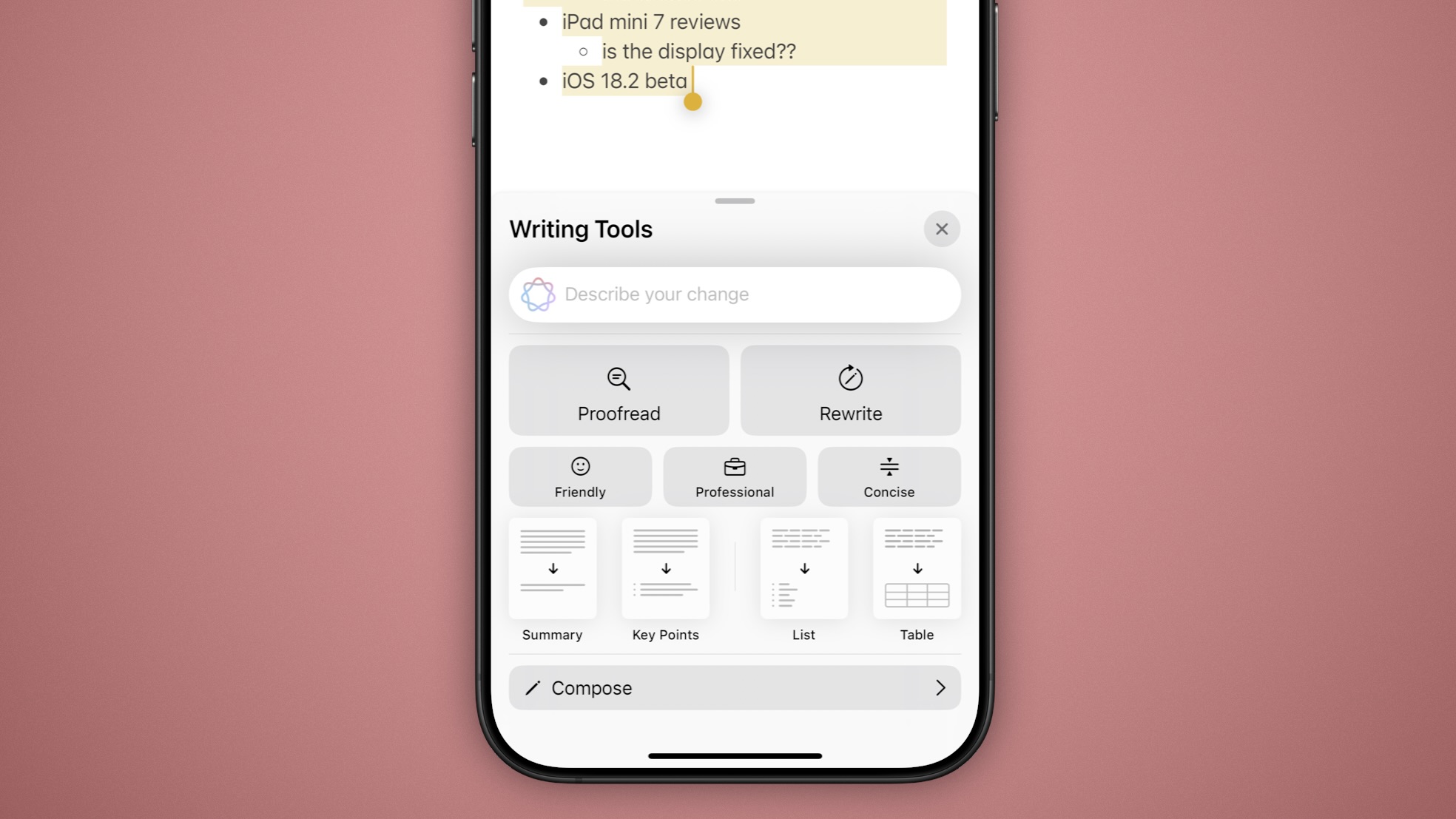
In iOS 18.2, there's also a new feature called "describe your changes" for Writing Tools. This feature lets you specify the changes you want Apple Intelligence to make to your text.
Visual Intelligence
For iPhone 16 users, iOS 18.2 beta 1 adds the new Visual Intelligence feature that Apple introduced last month. Pressing and holding the camera control button activates this mode to help you learn more about your surroundings.
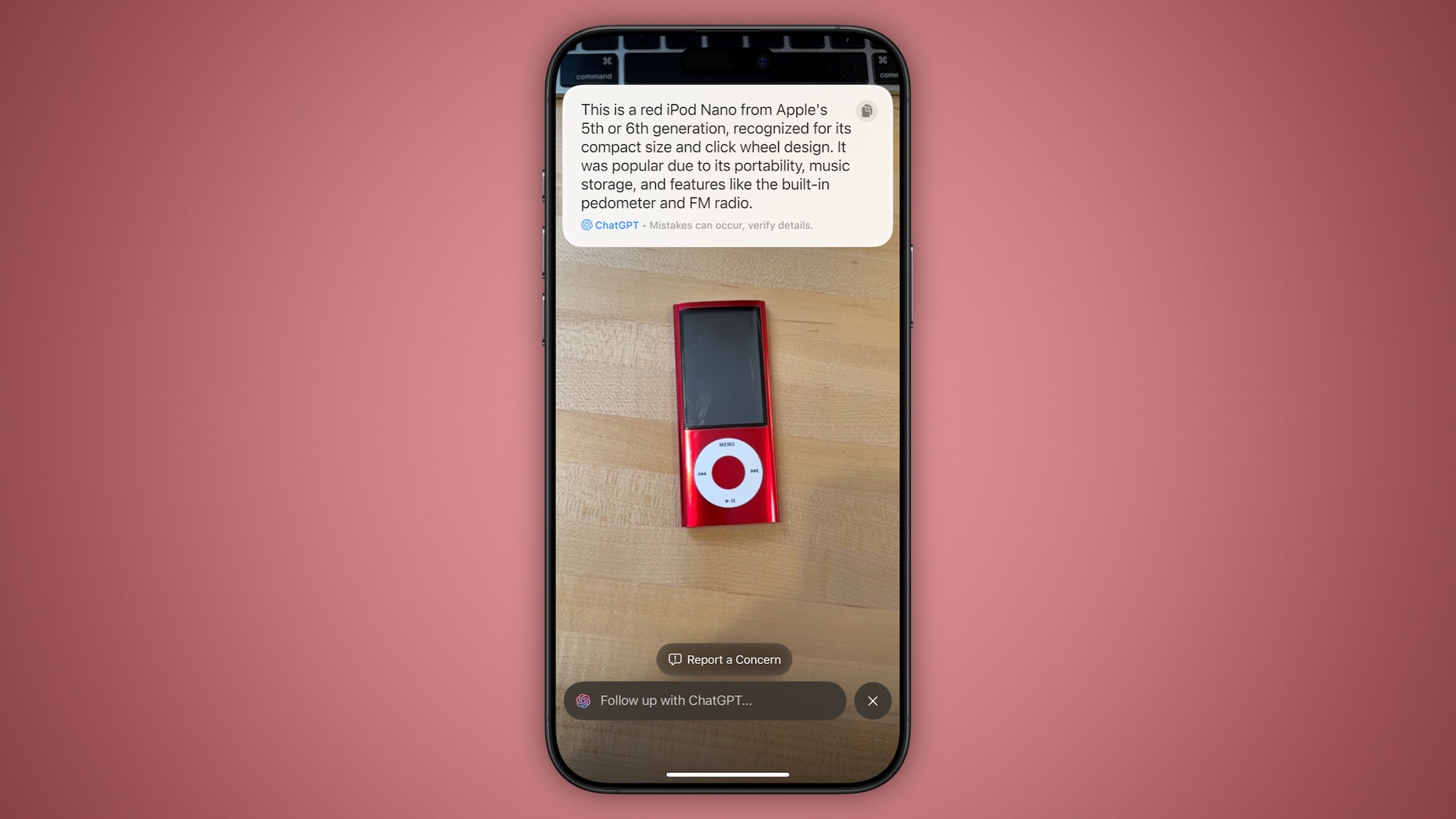
You can take a picture of an object and choose to search for similar images on Google, or send the picture to ChatGPT for more information.
Image Wand
iOS 18.2 adds the Image Wand feature as part of Apple Intelligence in the Notes app. Apple explains: “"Rough sketches can be transformed into interesting images, and users can even select empty space to create images using context from the surrounding area."”
Apple Intelligence support is now available in more regions.
iOS 18.2 supports Apple Intelligence for more regions:
– English (Australia)
– English (Canada)
– English (New Zealand)
– English (South Africa)
– English (UK)
New features in the Mail app in iOS 18.2
iOS 18.2 beta 1 also brings major changes to the Mail app. The biggest improvement is the on-device sorting system. The Mail app can automatically sort and categorize your emails into four different categories:
– Primary: Personal and important email
– Transactions: Confirmations and invoices
– Updates: Notifications from social media and news
– Promotions: Marketing emails and discount coupons
Additionally, there's a larger image of the contact within the Mail app, along with an aggregated view that displays all relevant emails from a specific business.
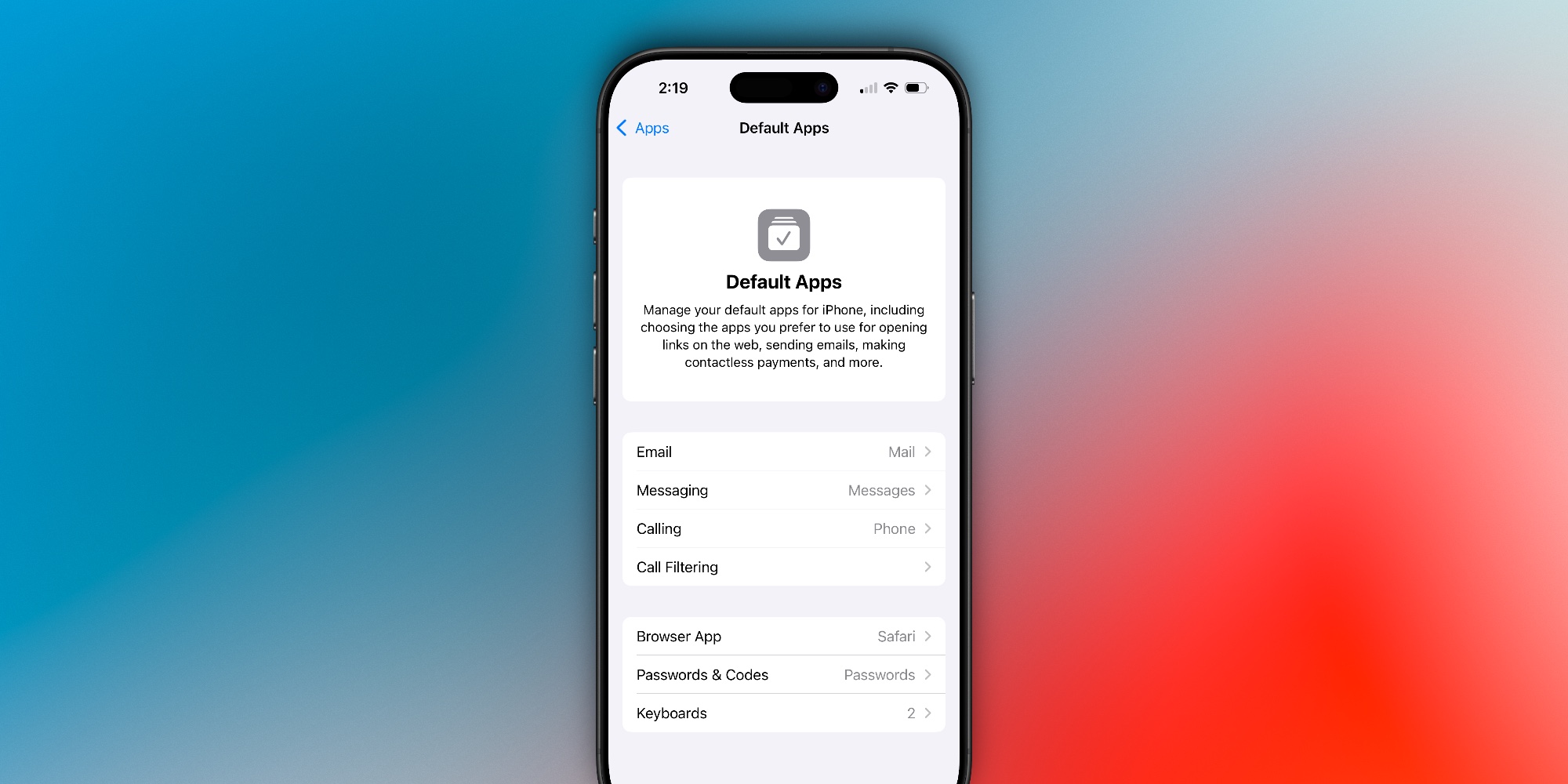
Default applications
iOS 18.2 allows users to set default apps for Messages and Calls. This feature is managed through the “Defaults” menu in the Settings app.
Voice Memos Upgrade
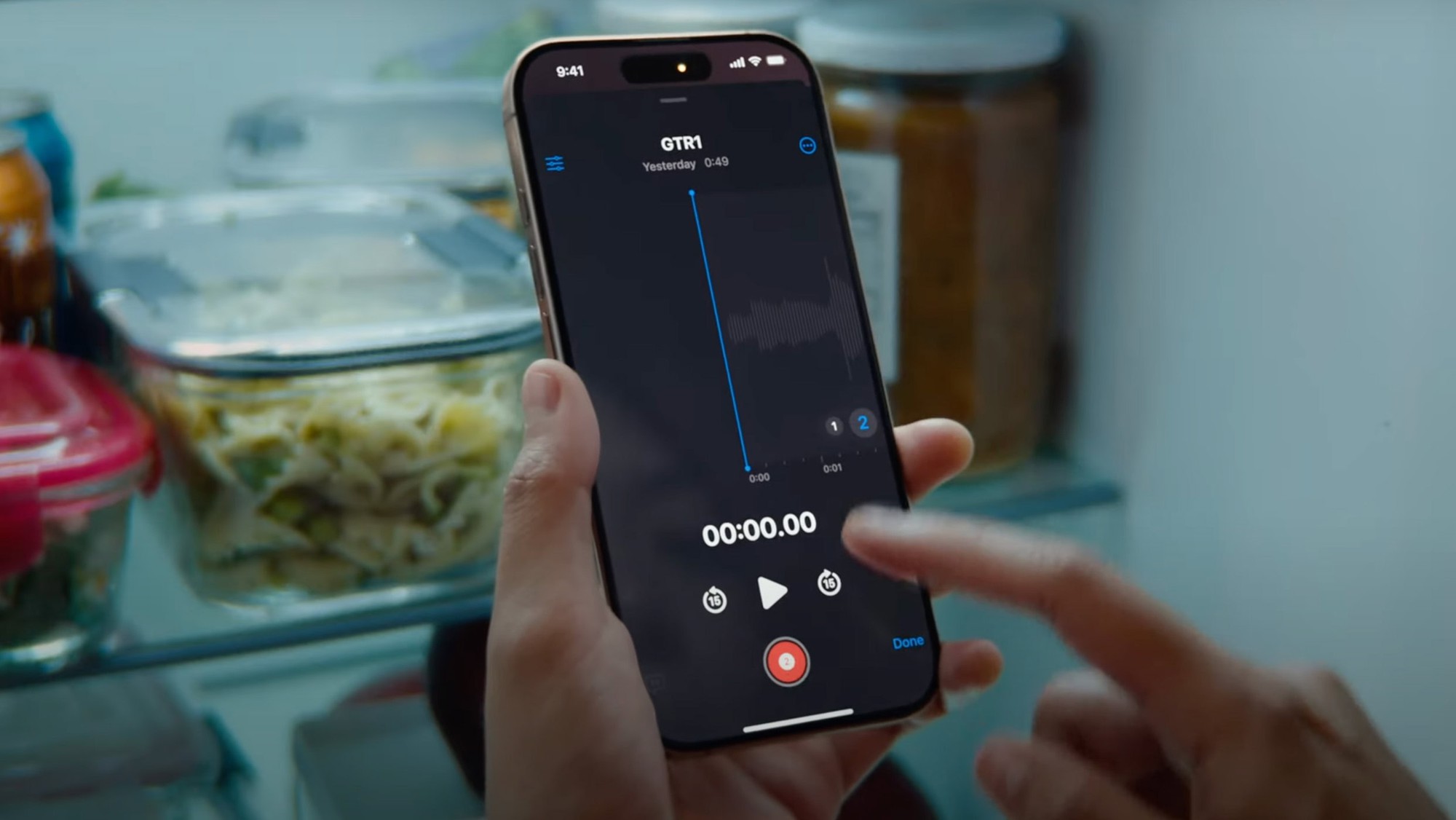
For iPhone 16 Pro users, iOS 18.2 unlocks an upgraded Voice Memos experience, allowing you to stack multiple recordings on top of each other.
Volume limit
In the Settings app, there's a new feature called "Volume Limit" for the iPhone's built-in speaker. This feature lets you set a limit on the maximum volume your iPhone's speaker can play, including music, movies, and other media. You can find this option in the Settings app, under "Sound & Feedback."“
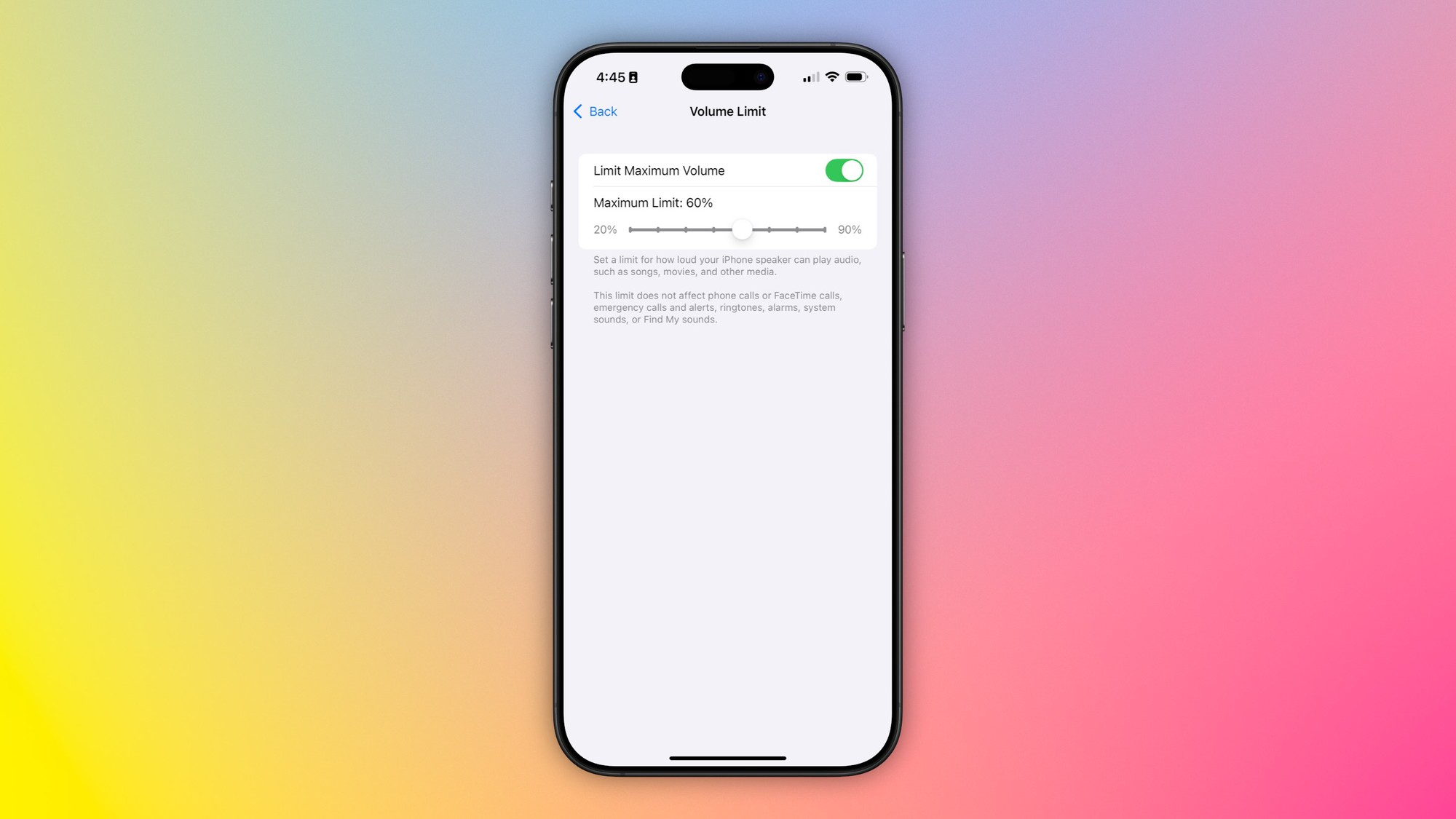
Apple notes that this limit will not affect phone or FaceTime calls, emergency calls and alerts, ringtones, alarms, system sounds, or sounds from the Find My app.
Other changes in iOS 18.2
– In Settings > Apps > Safari, there's a new option to import or export browsing history and website data.
– In the Podcasts app, you can now mark specific categories as favorites.
– In the App Store, there's a new option to turn off "Game Previews" in the Apple Arcade interface.
– iOS 18.2 adds a new widget called “Tap to Siri” to the Control Center.
– The app icons in Settings and the Share panel match the home screen theme.
According to Genk
Contact EZ Fast Tech today for a free consultation and to get an effective, AI-optimized website!
- Website: https://ezfasttech.com
- Hotline: 0772869820
- E-mail: [email protected]
EZ Fast Tech – Take your website to the next level with the power of AI!